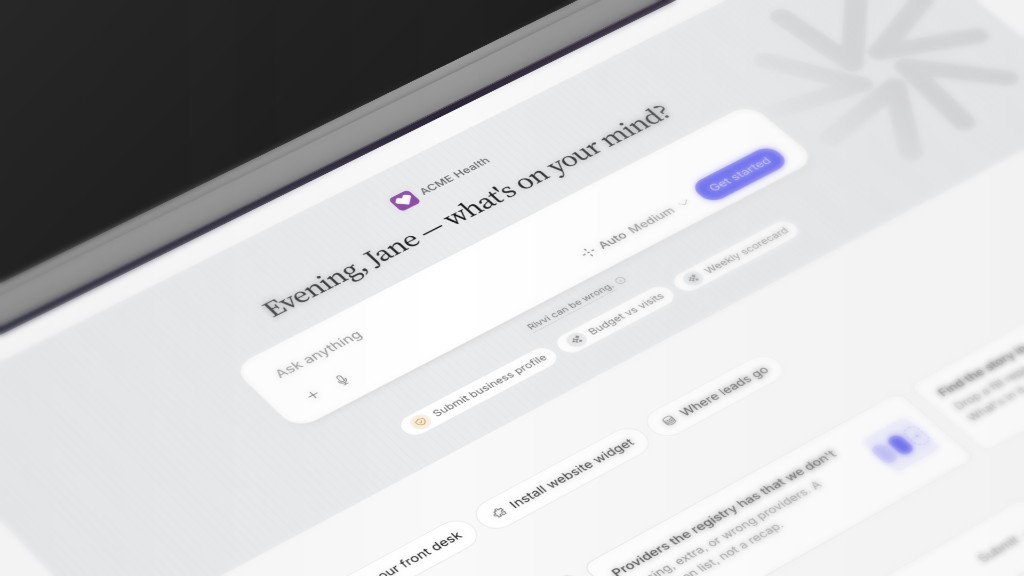
You already ask ChatGPT. This one answers from the files and systems your organization already has, the rest of your team works in the same place, and it can act on what it finds.
Upload
50MBper spreadsheet
Spreadsheets go in Data. Documents, PDFs, and images go straight into chat.
.csv.xlsx.pdf.docx
Analyze
No-show rate by provider. AR aging by payer.
Ask in plain language and get the table and the chart back, with the rows it used.
Build
The board report, the cohort, the SOP.
What it builds is saved in the workspace and shared with the people who have the role.
Clean
One patient, one row.
The same person is not three rows on the file you uploaded. It matches them inside the list.
Language
Ask in the language you write in.
It answers in kind, so a coordinator can work in Spanish and a manager in English on the same file.
Share
Pick up where anyone left off.
Same files and the same reports for everyone with the role, so nobody starts the question over.
Memory
It starts knowing you.It keeps learning.
Most AI tools start every conversation from zero. This one remembers the providers, the payers, and the way your team writes dates.
Your websiteNPI registryUploadsConnected systemsConversationsWhat you teach it
Memory
Dr. Patel sees new patients on Mondays.
Write dates as n/m.
The north site closes at 5.
Consolidates between sessions
See it.
Every entry, in Settings.
Correct it.
It sticks for the whole team.
Remove it.
Gone from the next answer.
Your website
NPI registry
Uploads
Connected systems
Conversations
What you teach it
Memory
Dr. Patel sees new patients on Mondays.
Write dates as n/m.
The north site closes at 5.
Consolidates between sessions
See it.
Every entry, in Settings.
Correct it.
It sticks for the whole team.
Remove it.
Gone from the next answer.
Action
Describe the job.Review it. Turn it on.
Ask who is overdue. Say "call them." Rivvi works the list and shows you what happened to every person on it.
You ask
Who is overdue for a visit this month?
You review
42 patients and one text to approve.
Rivvi acts
It calls, texts, and writes the note.
Monday overdue list42 patients · example run
29
Booked a visit
9
Got a text to call back
4
Handed to a person
VoiceTextWidgetAutomations
What it looks like
A Tuesday morning with Rivvi.
Samantha runs operations for a four-site primary care group. Here is one morning, and the day after.
09:10
The export
She drops last month's scheduling export into Rivvi and asks which providers are losing the most to no-shows. Thirty seconds later: two providers, both on Mondays, mostly first-visit patients.
09:14
The text
She asks for next week's Monday first visits and tells Rivvi to text them a reminder in their language, inside the hours TCPA allows. It drafts the message. She reads it and says go.
Wed
The count
She types "@Rivvi, how did the Monday reminders do?" and gets the count. It kept the sites, the providers, and who works Mondays, so next month she just asks.
Rivvi in Teams
In the thread you already have.
Install the Rivvi app and tag @Rivvi. It uses the same memory as the app and replies in the thread. Patient information never shows in Teams.
Separate app installSame memory
WHAT PEOPLE ASK IN THE CHANNEL
@Rivvipull the no-show rate by provider from the export Connie just dropped.
@Rivviwho on this list has not picked up their refill?
@Rivvidraft the reply to the payer email in this thread.
Integrations
Connect your work account. It sees what you can already open.
Power BI, SharePoint, OneDrive, Excel, Outlook, and Teams on one work-account sign-in. No Azure app registration.
Google Workspace
Drive, Gmail, Calendar, Sheets, and Analytics on one Google sign-in.
HubSpot
Notes, tasks, contacts, and call logs. Website widget leads land here.
Smartsheet
The sheets and rows your account can already open.
Birdeye
Reviews and listings for every location.
Paylocity
Payroll and HR data for the people who run payroll.
LeadingReach
Referrals, where your team already tracks them.
23 clinical and research sources
Medicare, NPI, openFDA, PubMed, and more. On from day one, no sign-in.
Nothing writes to the EHR. Export the list, and results land in Microsoft 365, Google Workspace, HubSpot, Smartsheet, LeadingReach, or the spreadsheet.
Who it works with
Six jobs. One memory.
XLSXpayroll-run-aug.xlsxWhy did overtime jump at one site in August?↑
RivviRead all 292,692 rows
East drove it: 1,120 overtime hours in August, up 41% from July.
410
380
1,120
360
400
330
NorthCentralEastWestSouthLake
How it starts
Three steps, then ask or upload.
01
Sign up
A few questions. Free to start.
02
Rivvi researches you
Your website and the NPI registry. You confirm what it found and add what only you know.
03
You're in
Workspace open. Ask, upload, and invite the team.
Security
HIPAA. SOC 2 Type II. GDPR.
BAA
A HIPAA BAA is included.
Encryption
Encrypted at rest with AWS KMS.
Audit
Consent and policy changes kept seven years. Every agent action on PHI logged with who, what, and when.